NavBar
This component allows you to create a nav bar. It contains a label for the app name and a dropdown menu with two options: System Health and Logout. It Also has an icon at left of the bar which is visible on mobile view that lets you show/hide the aside menu.
Example
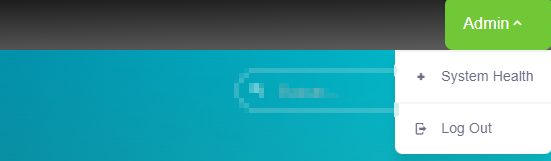
<nav-bar :app-name="appName" />

export default {
  name: 'App',
  data() {
    return {
      appName: this.$config.appName
    }
  }
}
Props
| Name | Description | Type | Required | Default |
|---|---|---|---|---|
| appName | The App name | String | false | "" |
| logoutOnly | - | Boolean | false | false |
Methods
| Method | Description | Parameters |
|---|---|---|
| menuToggleMobile | Used to show/hide the aside menu on mobile view | - |
| menuNavBarToggle | Used to show/hide the nav bar menu on mobile view | - |
| darkModeToggle | Used to toggle the dark theme | - |
| logout | Used to logout | - |